Distributed Wiki
This wiki is mirrored by multiple operators across both the public internet and on dn42. Current operators providing the wiki service can be found on the page footer.
Hosting the wiki
For hosting the wiki one will need to decide whether they desire to host a public internet mirror, join the wiki.dn42 anycast or both. The idea is to deploy mirrors across dn42 using anycast addressing (BGP), thus providing redundancy, load-balancing and improved access times to the wiki.
Prerequisites
-
Stable 24/7 connection to dn42.
-
Stable host machine, present in dn42.
-
Solid networking/sysadmin skills (to keep the system as a whole stable).
In contrast with the general spirit in dn42, this service should NOT be deployed by unskilled members for the purpose of learning and exploring - since it is the primary source of information related to the project, it should not be used as a playground.
-
Wiki Software (choose one):
- dn42-wiki-go (Recommended)
- wiki-ng
- gollum
-
Other Software:
It’s recommended to use a debian distro on the host machine, where most of the above software can be installed using package manager(s) with ease. On some distros (RHEL based for example) it might not be an easy task.
The local webserver is to be monitored with a simple shell script working in conjunction with ExaBGP, announcing/withdrawing the assigned route if the service is up/down. Nginx acts as a reverse proxy and handles the encryption.
Network
- Install wiki anycast IP addresses
172.23.0.80/32andfd42:d42:d42:80::1/64on the system - Assign a unicast IP address to be used by Nginx
- Establish connectivity to the dn42 network
Data replication
Site files are stored in a local DVCS repository (Git) on each node and replicated through a central server. Since the wiki is hosted on top of Git, it is not overly complicated to keep the local site in sync with others, each site only triggers periodic pulls/pushes from/to the Git server.
Setup the repo
-
Clone the dn42 wiki repo:
git clone [email protected]:wiki/wiki.git <path> -
Setup cron for periodic pull/push jobs for the repo (simple example):
-
wiki-sync.sh:
#!/bin/bash WIKI_PATH=<repo path> GIT=/usr/bin/git cd "${WIKI_PATH}" ${GIT} push ${GIT} pull exit 0 -
Cron entry:
*/10 * * * * <path>/wiki-sync.sh &> /dev/null
Running in 10 minute intervals is reasonable, if you choose to change this, please keep it in the range from 5 to 15 minutes. Also consider using dn42notifyd to get a callbacks instead.
Nginx reverse proxy
SSL
- Generate an SSL certificate using the main Certificate authority using a method that supports anycasted IP addresses.
Header
Site identification
A custom header X-SiteID identifies the site you’re connecting to:
add_header X-SiteID '<AS>-<ISO country code>';- <AS> is the as number prefixed with
aslikeas64737
- <AS> is the as number prefixed with
Enabling HPKP
-
Extract base64 encoded SPKI fingerprint from private key
wiki.key:openssl rsa -in wiki.key -outform der -pubout | openssl dgst -sha256 -binary | openssl enc -base64 -
Configure Nginx to send the fingerprint in header (SSL block):
add_header Public-Key-Pins pin-sha256="<primary>"; pin-sha256="<backup>"; max-age=5184000; includeSubDomains';
<primary>- the fingerprint extracted fromwiki.key<backup>- the CA fingerprint:of00RDinhPeVRNnXm1jXQDagktOL75qQo1pT+xc7VIE=
Read more about this here.
Domains
The proxy should accept the following domain names:
- internal.dn42
- wiki.dn42
Config example
ssl_protocols  TLSv1.2 TLSv1.1 TLSv1;
ssl_session_cache shared:SSL:2m;

ssl_ciphers   ECDHE-RSA-AES128-GCM-SHA256:ECDHE-ECDSA-AES128-GCM-SHA256:ECDHE-RSA-AES256-GCM-SHA384:ECDHE-ECDSA-AES256-GCM-SHA384:DHE-RSA-AES128-GCM-SHA256:DHE-DSS-AES128-GCM-SHA256:kEDH+AESGCM:ECDHE-RSA-AES128-SHA256:ECDHE-ECDSA-AES128-SHA256:ECDHE-RSA-AES128-SHA:ECDHE-ECDSA-AES128-SHA:ECDHE-RSA-AES256-SHA384:ECDHE-ECDSA-AES256-SHA384:ECDHE-RSA-AES256-SHA:ECDHE-ECDSA-AES256-SHA:DHE-RSA-AES128-SHA256:DHE-RSA-AES128-SHA:DHE-DSS-AES128-SHA256:DHE-RSA-AES256-SHA256:DHE-DSS-AES256-SHA:DHE-RSA-AES256-SHA:AES128-GCM-SHA256:AES256-GCM-SHA384:AES128-SHA256:AES256-SHA256:AES128-SHA:AES256-SHA:AES:CAMELLIA:DES-CBC3-SHA:!aNULL:!eNULL:!EXPORT:!DES:!RC4:!MD5:!PSK:!aECDH:!EDH-DSS-DES-CBC3-SHA:!EDH-RSA-DES-CBC3-SHA:!KRB5-DES-CBC3-SHA;

ssl_prefer_server_ciphers   on;

upstream wiki { server 127.0.0.1:4567; }

server {
        server_name internal.dn42 wiki.dn42 as<aut-num>-<cc>.wiki.dn42;

        listen 172.23.0.80:80 default;
        listen [fd42:d42:d42:80::1]:80 default;
        listen <unicast ipv4> 80;
        listen [<unicast ipv6>]:80;

        add_header X-SiteID                   '<aut-num>-<cc>';

        location / {
                proxy_pass http://wiki;
        }
}

upstream wikirw { server 127.0.0.1:4568; }


server {
        server_name internal.dn42 wiki.dn42 as<aut-num>-<cc>.wiki.dn42;

        listen 172.23.0.80:443 ssl default;
        listen [fd42:d42:d42:80::1]:443 ssl default;
        listen <unicast ipv4> 443 ssl;
        listen [<unicast ipv6>]:443 ssl;

	ssl on;
        ssl_certificate      <path>/ssl.crt;
        ssl_certificate_key  <path>/ssl.key;

        add_header strict-transport-security  "max-age=5184000; includeSubDomains";
        add_header Public-Key-Pins            'pin-sha256="<primary-pin>";pin-sha256="<backup-pin>";  max-age=5184000; includeSubDomains';
        add_header X-SiteID                   '<aut-num>-<cc>';

        location / {
                proxy_pass http://wikirw;
        }
}
ExaBGP
Announcing
The prefix AS-PATH should show the announcement is originating from your AS. After peering ExaBGP to the nearest speaker(s), check if the prefix is routing properly inside your network. Try not to blackhole the passing traffic (e.g. no static routes to 172.23.0.80/32). Test the whole thing by shutting down nginx/gollum and watch what happens.
Configuration
# exabgp.conf

group gollum-watchdog {
  neighbor <peer1> {
    router-id x.x.x.x;
    local-address <source-address>;
    local-as <ownas>;
    peer-as <peeras>;
  }

  ## (example ipv4) peer with one of our iBGP speakers:
  neighbor 172.22.0.1 {
    router-id 172.23.0.80;
    local-address 172.22.0.2;
    local-as 123456;
    peer-as 123456;
  }

  ## (example ipv6) peer with one of our iBGP speakers:
  neighbor fd42:4992:6a6d::1 {
    router-id 172.23.0.80;
    local-address fd42:4992:6a6d::2;
    local-as 123456;
    peer-as 123456;
  }

  ## ...

  process watch-gollum {
     run <path>/gollum-watchdog.sh;
  }
}
Watchdog script
Watchdog runs in an infinite loop, sending the appropriate commands to stdout. ExaBGP attaches to the process’ stdout and listens for instructions. Watchdog sends either a route announce or widthdraw.
Run gollum-watchdog.sh in a shell first to validate it’s working:
#!/bin/bash

CURL=curl

## url's to check (all listed must be alive to send announce)
URL=("http://172.23.0.80" "https://172.23.0.80" "http://[fd42:d42:d42:80::1]" "https://[fd42:d42:d42:80::1]")

ROUTE='172.23.0.80/32'
## the anycast v6 route (/64 due to prefix size limits)
ROUTE6='fd42:d42:d42:80::/64'

## the next-hop we'll be advertising to neighbor(s)
NEXTHOP='<source-address>'
NEXTHOP6='<source-address-v6>'

## regex match this keyword against HTTP response from curl
VALIDATE_KEYWORD='gollum'

INTERVAL=60

###########################

RUN_STATE=0

check_urls() {
        for url in "${URL[@]}"; do

                ## workaround curl errno 23 when piping
                http_response=`${CURL} --insecure -g -s -L -o - "${url}"`

                echo "${http_response}" | egrep -q "${VALIDATE_KEYWORD}" || {
                        return 1
                }

                ## add more checks

        done
        return 0
}

while [ 1 ]; do
        if [ ${RUN_STATE} -eq 0 ]; then
                check_urls && {
                        RUN_STATE=1
                        echo "announce route ${ROUTE} next-hop ${NEXTHOP}"
                        echo "announce route ${ROUTE6} next-hop ${NEXTHOP6}"
                }
        else
                check_urls || {
                        RUN_STATE=0
                        echo "withdraw route ${ROUTE} next-hop ${NEXTHOP}"
                        echo "withdraw route ${ROUTE6} next-hop ${NEXTHOP6}"
                }
        fi

        sleep ${INTERVAL}

done

exit 0
Run
Normally SIGUSR1 to the exabgp process triggers a configuration update, but at occasion the process might need to be restarted - since its gracefull shutdown can be glitchy , this might be a bit difficult. Sending SIGKILL to the child(ren) and immediately after, the parent, does the job (quick-and-dirty).
USAGE: /etc/exabgp/run.sh [start|stop|restart]
#!/bin/bash

PID_FILE=/var/run/exaBGP/exabgp_PID

######################################

EXABGP=<path>/sbin/exabgp
EXA_LOG=/var/log/exabgp.log
CONF=/etc/exabgp/exabgp.conf


start() {
	[ -f ${PID_FILE} ] && {
		echo "WARNING: `cat ${PID_FILE}`: exabgp already running"; return 1
	}
	${EXABGP} ${CONF} &> ${EXA_LOG} &
	cpid=$!
	[ ${cpid} -eq 0 ] && {
		echo "ERROR: could not start process"; return 1

	}
        echo ${cpid} > ${PID_FILE}
}

stop(){
	[ -f ${PID_FILE} ] || return 1
	pkill -9 -P $(cat ${PID_FILE})
        kill -9  $(cat ${PID_FILE})
	rm -f ${PID_FILE}
}

case ${1} in
    start )
	start
    ;;
    stop )
	stop
   ;;
    restart )
	stop
	sleep 1
	start
   ;;
esac

exit 0
Setting up the wiki software
See the documentation below for both gollum and dn42-wiki-go.
gollum
-
Install gollum
-
Start two gollum instances, read-only and read/write on
127.0.0.1:Read/write (SSL only):
RACK_ENV=production gollum --css --host 127.0.0.1 --port 4568 <path>Read-only:
RACK_ENV=production gollum --css --host 127.0.0.1 --port 4567 --no-edit <path>Set
<path>to the location where wiki Git repo was cloned.
dn42-wiki-go
Introduction
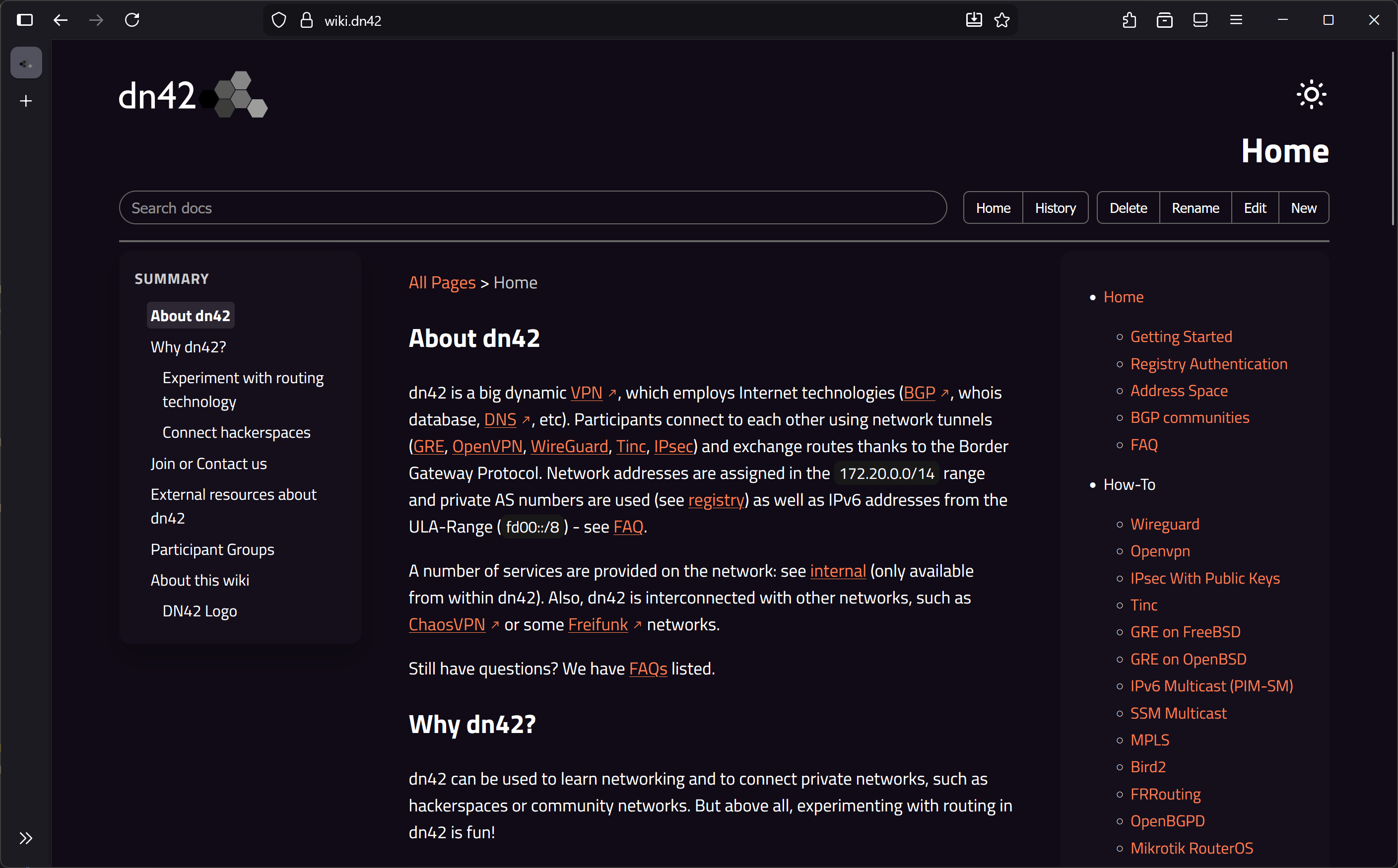
dn42-wiki-go is a lightweight, Git-backed wiki engine designed for DN42. It is based on wiki-ng, aims to replace the old Gollum-based DN42 distributed wiki.
It can serve pages live through its built-in Go HTTP server or generate a fully static HTML export for external hosting. All content is stored in a Git repository, making it easy to replicate across nodes or run in disconnected environments.
Live Version
- https://wiki.dn42/ (DN42 Access)
- https://dn42.jp/ (Clearnet)
Operating Modes
You can run dn42-wiki-go in three different ways:
-
Run static build once then exit (
--buildorlive=false)
The App renders all Markdown files into HTML under outputDir and exits.
Best for setups where your own cron job handles Git sync and file publishing. -
Live mode without reverse proxy (
live=true)
The built-in HTTP server directly serves pages, assets, and APIs.
Suitable for simple deployments. -
Live mode behind a reverse proxy
The reverse proxy (nginx, Caddy, HAProxy, etc.) serves the generated files, and only API endpoints are forwarded to the App.
Seeconfig.example.jsonfor example configs andnginx-vhost.conffor a reverse-proxy reference.Recommended for production and anycast nodes.
Features
- Live mode with automatic Markdown rendering and scheduled Git pull/push.
- Static mode for fully pre-built HTML exports.
- Optional in-browser editor with commit metadata (author, message prefix, remote IP).
- Webhook endpoints for remote pull/push triggers and optional polling integration(see
dn42notifyd). - Themeable templates and bundled UI assets.
- Designed for distributed, multi-node and anycast environments.
Quick Start
Pre-built binaries are available in the GitHub releases.
Please do not forget to clone the repository to copy config.example.json(to config.json) and the template folder. They should be put together in the same production directory.
Manual Build
- Install Go 1.24+ and ensure the git executable is available in PATH.
- Copy the example config: cp config.example.json config.json Then edit the settings you need.
- Build for your platform (example: Linux amd64):
export GOOS=linux
export GOARCH=amd64
./build.sh
Determine which user is used to run dn42-wiki-go, then create ~/.gitconfig for this user, which will be used by git.
For example:
[user]
        email = [email protected]
        name = IEDON.DN42 Wiki Mirror(116)
To create the isolated, low-privileged user dn42-wiki-go, you may run:
# This user cannot log in or get a shell.
# This user has /opt/dn42-wiki-go as working directory.
# No default home folder created automatically.
sudo useradd -r -s /usr/sbin/nologin -d /opt/dn42-wiki-go -M dn42-wiki-go
Both systemd socket enabler and UNIX domain socket are supported, check example configuration files: dn42-wiki-go.socket and dn42-wiki-go.service.
If you would like to use with Docker: Dockerfile and docker-compose.yml are also provided, bind proper directories and map config.json for the App to use, then you are all set.
Webhook Endpoints
When webhook.enabled = true, the server exposes:
-
GET | POST /api/webhook/pull
Runs git pull and rebuilds the cached HTML. -
GET | POST /api/webhook/push
Pushes local commits to the remote.
If webhook.secret is set, requests must include an Authorization header that matches the secret.
If webhook.secret is empty, a random secret will be generated on startup to secure the endpoint (used for polling).
Polling Integration
When webhook.polling.enabled = true, the server registers with a remote notify service and triggers /api/webhook/pull whenever a refresh completes.
This is compatible with dn42notifyd and similar tools.
Configuration Reference
All settings are provided through a JSON file. Below is a concise reference of all options.
Runtime
-
live(bool, defaultfalse):
true -> run HTTP server and render on demand.
false -> render once to outputDir and exit. -
editable(bool, defaultfalse):
Enables in-browser editing and write operations. -
listen(string, default":8080"):
TCP address (host:port) or UNIX socket (unix:/path).Advanced: See example systemd files
dn42-wiki-go.socketanddn42-wiki-go.servicein the repository. -
baseUrl(string, optional):
URL prefix when hosting under a subdirectory. -
siteName(string, default"DN42 Wiki Go"):
Display name of the wiki.
Git
git.binPath(string, defaultgit): Path to the Git executable.git.remote(string, default empty): Remote URL. Leave empty for standalone/local repositories.git.localDirectory(string, default./repo): Directory where the wiki repository is cloned or initialised.git.pullIntervalSec(int, default3600): Seconds between backgroundgit pulloperations in live mode. Disabled if no remote is set.git.author(string, default"Anonymous <anonymous@localhost>"): Author string used for commits generated by the application.git.commitMessagePrefix(string, default empty): Optional prefix prepended verbatim to commit messages supplied by users.git.commitMessageAppendRemoteAddr(string, default empty): Optional suffix appended when a request carries a remote address. If the value contains%sit is treated as afmtformat string; otherwise it is concatenated.
Webhook
webhook.enabled(bool, defaultfalse): Expose webhook endpoints on the main HTTP server.webhook.secret(string, default empty): Shared secret expected in theAuthorizationheader. If empty, a random secret is generated on startup.webhook.polling.enabled(bool, defaultfalse): Keep a registration active with the remote notification service and trigger periodic pulls.webhook.polling.endpoint(string, default empty): URL of the notification service (eg. Usage with dn42notifyd:https://git.dn42/dn42notify/poll).webhook.polling.callbackUrl(string, default empty): Public URL for/api/webhook/pull. Required whenwebhook.polling.enabledistrue.webhook.polling.pollingIntervalSec(int, default3600): Seconds between refresh attempts. Must be positive when polling is enabled.webhook.polling.skipRemoteCert(bool, defaultfalse): Insecure: Skip TLS verification.
Paths and templating
outputDir(string, default./dist): Destination directory for static builds or asset exports.templateDir(string, default./template): Location of layout templates and static assets bundled into the server/UI.homeDoc(string, defaultHome.md): Repository document to treat as the home page. Normalised to a.mdpath relative to the repo root.privatePagesPrefix(array of strings, default empty): Request to routes started with these prefixes will be blocked.
Layout and footer
ignoreHeader(bool, defaultfalse): Skip loading_Header.mdwhentrue. Leavefalseto include the fragment when present.ignoreFooter(bool, defaultfalse): Skip_Footer.mdwhentrue; otherwise render it if available.serverFooter(string, default empty): Markdown snippet rendered into the global footer at runtime.
TLS
enableTLS(bool, defaultfalse): Serve HTTPS using the provided certificate and key.tlsCert(string): Path to the TLS certificate. Required only whenenableTLSis true.tlsKey(string): Path to the TLS private key. Required whenenableTLSis true.
Logging and client IP handling
logLevel(string, defaultinfo): Minimum log level (debug,info,warn, orerror).trustedProxies(array of strings, default empty): CIDR blocks or literal IPs that are trusted to populateX-Forwarded-For.trustedRemoteAddrLevel(int, default1): Number of additional trusted hops to peel off when deriving the end-user IP from the forwarded chain. Values less than1are coerced to1during load.
Notes
- live = true requires write access to the Git repo for local commits.
- With no remote configured,
dn42-wiki-goinitializes a local-only repository. - Template changes require restarting the server or rebuilding static output.